Preview

Is Vidu AI Really the Best Chinese Text-to-Video Tool? (Hands-On Review)
Vidu AI is an exceptionally user-friendly video generation tool, particularly for Chinese-speaking creators. It solves a major pain point: most foreign AI tools struggle to understand Chinese prompts accurately. With lightning-fast generation speeds, it’s an excellent entry point for beginners or creators needing quick 4-second clips. However, the free tier’s watermark limitations and commercial use restrictions make it better suited for personal entertainment or proof-of-concept work rather than professional commercial output.
Key Factors When Choosing an AI Video Generator
When selecting an AI video generation tool, these factors are critical:
- Language Support: Can it accurately understand your prompts without relying on translation software?
- Generation Mode Variety: Does it support text-to-video, image-to-video, and reference-to-video?
- Generation Speed & Compute: How long do you wait for output? What’s the failure rate?
- Free Tier & Commercial Rights: Is the free trial generous? Can paid tiers be used commercially?
- Controllability: Can you control character consistency or specific actions?
Vidu AI Technical Specifications
| Specification | Value | Notes |
|---|---|---|
| Platform Type | Web-based | Supports Google account quick login |
| Free Credits | 80 credits/month | Resets monthly |
| Cost Per Generation | 4 credits | Free tier allows ~20 generations |
| Video Length | 4 seconds (free) | Current test limitation |
| Generation Modes | Text, Image, Reference | Supports Text-to-Video, Image-to-Video, Reference-to-Video |
| Language Support | Chinese / English | Interface and prompts support both |
| Generation Styles | Realistic / Anime | Toggle between different styles |
| Generation Speed | Fast | Reviewers specifically highlight short wait times |
| Max Duration | 16 seconds | Paid version |
| Resolution | Up to 1080p | High quality mode |
Vidu AI’s Core Strengths
As a leading Chinese AI video generation tool, Vidu AI excels in these areas:
- Complete Chinese Support: Full Chinese interface with native Chinese prompt understanding—no translation needed
- Lightning-Fast Generation: While competitors take 3-5 minutes, Vidu delivers results in under 30 seconds
- Three Generation Modes: Text-to-video, image-to-video, and reference-to-video meet diverse creative needs
- Anime-Style Aesthetics: Possibly the best animated aesthetic effects among similar products
- Character Consistency: Maintains character appearance across frames better than many competitors
The Problems with Vidu AI
While Vidu AI is easy to pick up, users must be aware of these limitations and drawbacks:
Commercial Use Restrictions
Free version videos include a watermark, and official terms explicitly state no commercial use allowed. Commercial use requires a paid subscription.
Generation Length Limits
The free version currently only generates 4-second clips and is locked to “High Performance” mode (highest quality mode may be unavailable).
AI Hallucinations & Artifacts
During cat video testing, unexplained “black dot” artifacts appeared in early frames. This proves even mature tools have failure rates (hallucinations), requiring multiple generation attempts.
Feature Limitations
- Limited Voiceover Integration: Unlike marketing-focused tools (like Fliki), Vidu focuses purely on visual generation
- No Text Overlay Tools: You need external software for captions and CTAs
- Fewer Templates: Compared to Western competitors, fewer ready-made marketing templates
Pricing Currency
Paid plans are priced in USD, requiring international users to calculate exchange rates.
Real-World Usage Experience
Setup & Interface
Login is seamless—just use your Google account. The interface is intuitive, with zero learning curve for users familiar with other AI tools (like Haiper AI or Runway). Best of all, the full Chinese interface and prompt support “dramatically lowers the barrier to entry.”
Core Feature Experience
Reference-to-Video: This is the reviewer-highlighted standout feature. Upload a reference image, and the AI generates dynamic content based on that image’s style or character features—extremely helpful for maintaining character consistency.
Prompt Optimization: The system has a built-in “prompt description optimization” checkbox. Even simple commands (like “girl blinking”) get automatically enhanced with details.
ChatGPT Collaboration: Reviewers demonstrated a workflow using ChatGPT to generate detailed prompts, then pasting them into Vidu AI. This proves Vidu handles long instructions quite well.
Actual Output
Generated characters have high realism (in realistic mode), with solid anime mode performance too. Though occasional artifacts appear (like black dots in cat videos), overall motion is smooth. The 80 free credits are sufficient for beginners to experiment and learn through multiple attempts.
Who Should Use Vidu AI?
| Use Case | Recommendation |
|---|---|
| Non-English Speaking Creators | Full Chinese input support—no dictionary needed for prompts |
| Social Media Short Video Beginners | Creating TikTok or Reels transition clips around 4 seconds |
| Storyboard Artists | Quickly convert static storyboards to animated previews via image-to-video |
| Creative Art Content | Artistic videos for social media |
| Anime Style Enthusiasts | Entertainment anime-style content |
| Quick Concept Validation | Rapidly visualize creative ideas |
Who Should Skip Vidu AI?
- Professional Commercial Production: Free version isn’t commercial-use and has watermarks; paid version requires cost-benefit analysis
- Long-Form Video Creators: Single generations limited to 4 seconds—can’t meet long-take needs
- Quality Perfectionists: Free version locked to “High Performance” rather than “High Quality”—detail may fall short of paid compute
- Marketing Content Creation: If your primary goal is marketing content, consider tools with built-in voiceover and marketing features like Fliki
Review Conclusion
Vidu AI is a remarkable technical achievement, developed by Shengshu Technology in partnership with Tsinghua University—China’s answer to Sora. It’s perfect for creative experimentation and quick onboarding. With lightning-fast generation speeds, complete Chinese support, and unique anime aesthetics, Vidu delivers exceptional value for pure video generation artistry at its price point.
Interface Screenshots
Screenshots captured from the review video at key moments:
Three Generation Modes
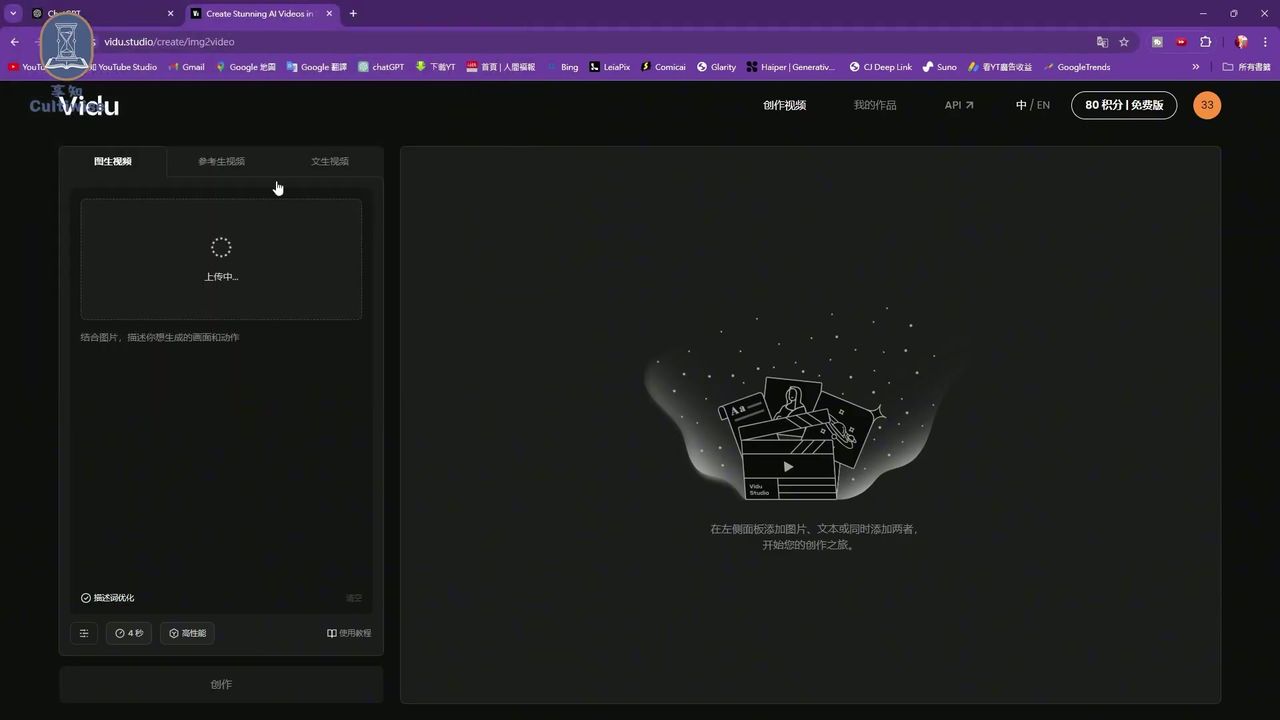
[01:29] — Shows the software’s core feature interface for quick orientation
Pricing Structure
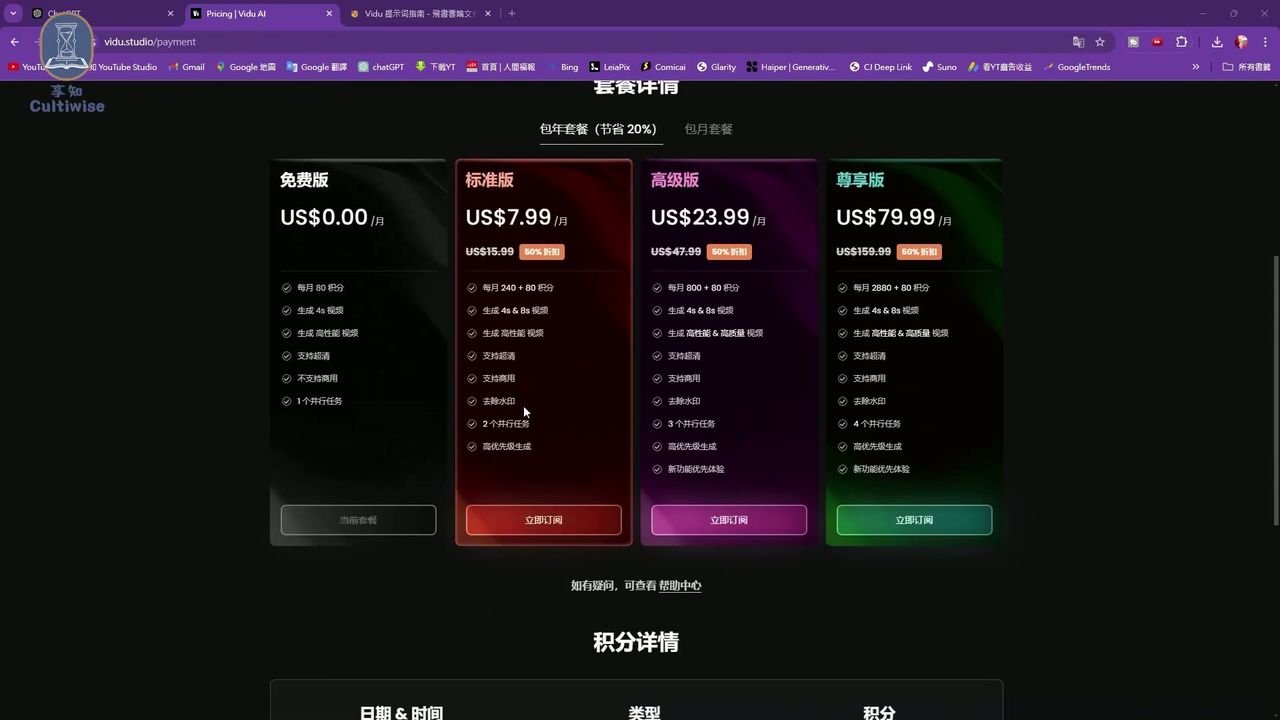
[03:25] — Key consumer decision information clearly showing free vs. paid tier differences
Reference-to-Video Demo
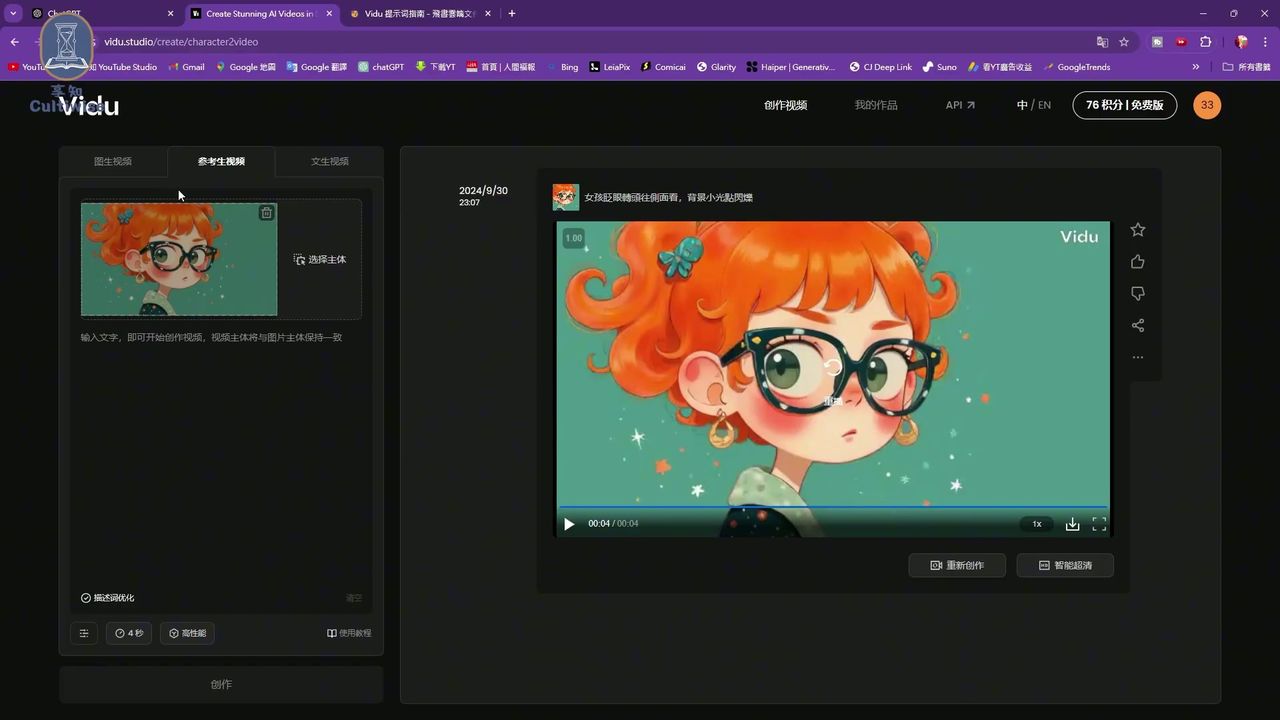
[04:18] — This tool’s signature feature visualizing how reference images influence generation
AI Artifact Example
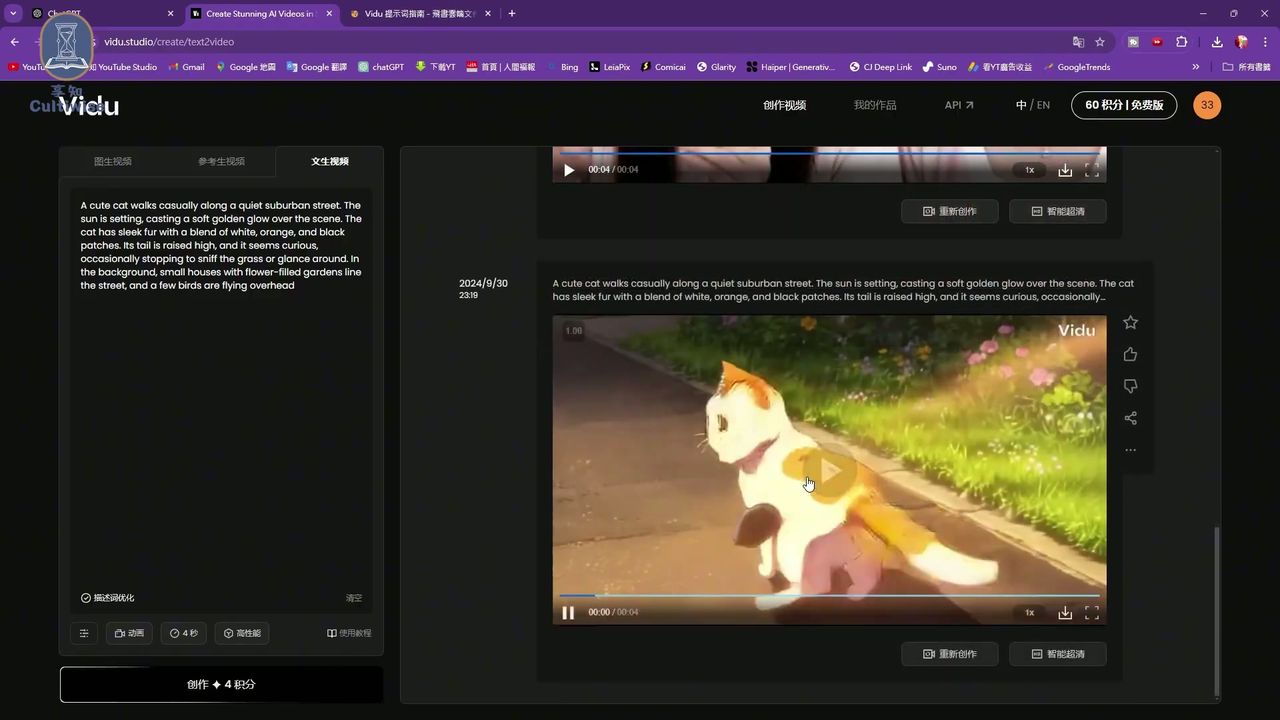
[06:29] — Visual evidence of AI generation artifacts, adding review authenticity
Source
- Original Video: Watch on YouTube
This review is based on hands-on testing experience. Product features and pricing may change over time—please verify current information on the official website before purchasing.